![main logo with tagline dark background.png]](https://faq.digitaljoy.media/hs-fs/hubfs/main%20logo%20with%20tagline%20dark%20background.png?height=40&name=main%20logo%20with%20tagline%20dark%20background.png)
Configuration Steps:
- Open your engagement settings panel and enable Engagement Privacy.
- The whitelist action buttons will be visible when this feature is enabled.
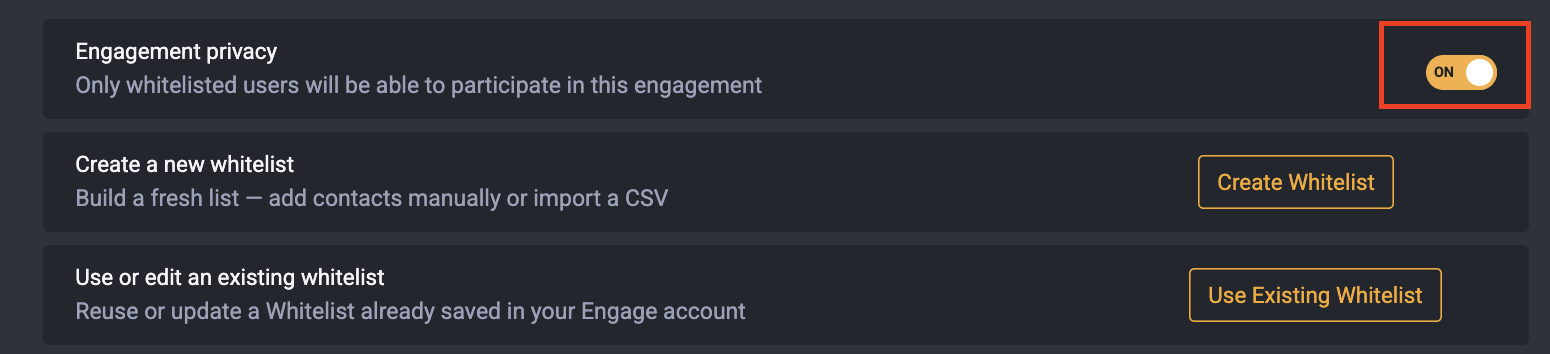
- To create new whitelist:
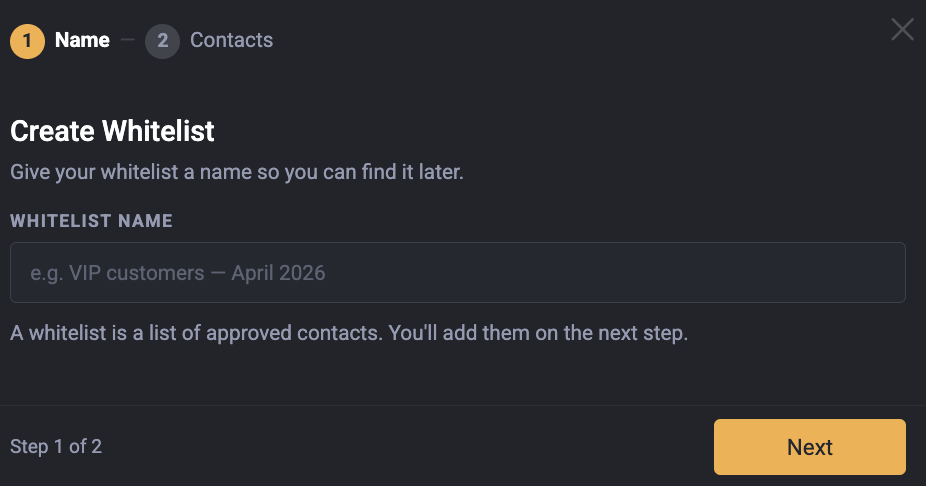
- Click on Create Whitelist.
- Enter the name of the Whitelist.
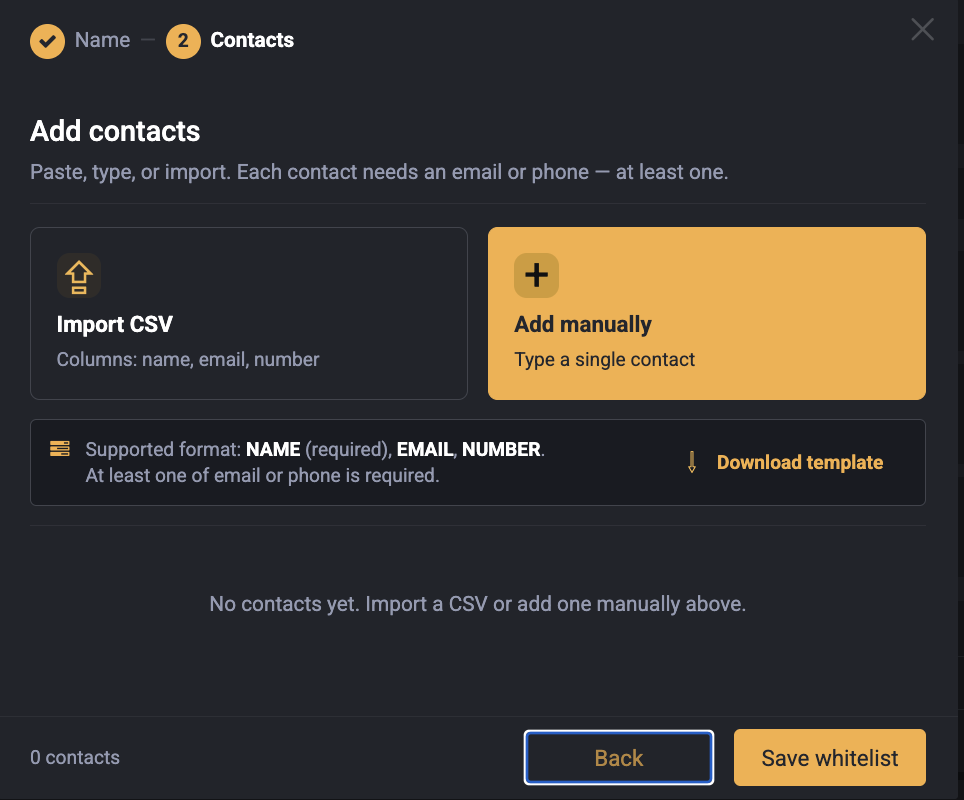
- Enter manually or upload your list of allowed phone numbers or email addresses.